
1
Faster routing
Your request enters the organized maintenance queue and can be directed to the right person or vendor.
Maintenance made easier
Submit maintenance requests through your AppFolio Online Portal so our team receives the details, photos, access instructions, and updates in one place.
10-second overview: Spot the issue, open AppFolio, choose Maintenance, add details and photos, then submit.
Why the portal matters
A portal request gives our property-management team the complete information needed to respond efficiently.
Your request enters the organized maintenance queue and can be directed to the right person or vendor.
Descriptions and photos help us understand the problem and arrive with the right tools and materials.
Details, access permission, scheduling, and messages stay connected to your home and request.
Follow the request from receipt and scheduling through completion without losing the conversation.
Five simple steps
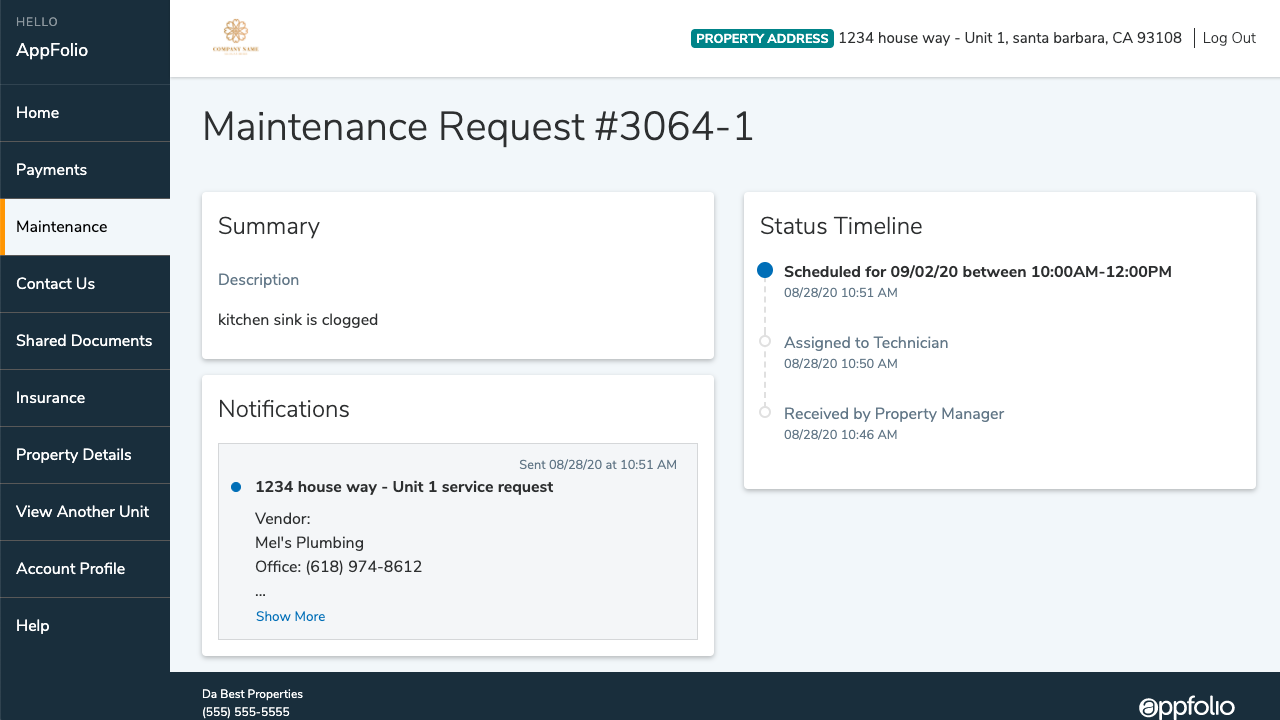
From AppFolio
See how AppFolio keeps maintenance communication, request details, scheduling, and progress connected in one organized system.
Watch on YouTubeOfficial video published by AppFolio.
For fire, a suspected gas leak, active flooding, or an immediate threat to life or property, call 911 when appropriate and follow the emergency instructions in your lease or resident portal.
Helpful links
If you cannot access your portal, contact our office for help. Include your property address and the best phone number to reach you.